

CHRONOGRAPHY
A planner and a free notebook, in one.
INTRODUCTION
A planner and a notebook in one — a digital system planner.
Born from Chronos (time) and Graphy (writing and recording), CHRONOGRAPHY is a digital planner for organizing your thoughts by writing every day and opening the way ahead. Use it in note apps on iPad, iPhone Duo, Android, Windows and other devices that work with a pen.
-
A versatile digital system planner
A planner and a free notebook. For work, for study, for daily records. One book takes the shape of how you use it.
-
Designed to lower the hurdle to writing
Pages with nothing extra, ready to write on the moment you open them. Functional beauty that looks right even with a single pen color.
-
Focus on thinking, planning and learning
Plan by year, month and week, and collect your notes on a page for every day. Hyperlinks move you smoothly between pages, so you can focus on what is in front of you.
A planner and a free notebook, in one


Start when your year starts
Calendar Year starts in January, Fiscal Year in April, and Academic Year in September. Begin your year to suit your purpose — personal life, work or school.

Six colors at home at work and school
Black, Navy, Beige, Blue, Pink and White. Calm cover colors that suit the office and the classroom. The pages inside share one design in every color.


Year, month, week and day in one planner
Plan ahead on the Yearly page, arrange your schedule on the Monthly page, think through your actions on the Weekly page, and collect daily notes and ideas on the Daily Note. Hyperlinks let you move between pages as you need and take your thinking further.

See how you use your time
The Weekly page covers all 24 hours, from 5 a.m. to 4 a.m. the next morning. Write work, study, sleep and more along the timeline, and plan while you see the whole week at a glance.
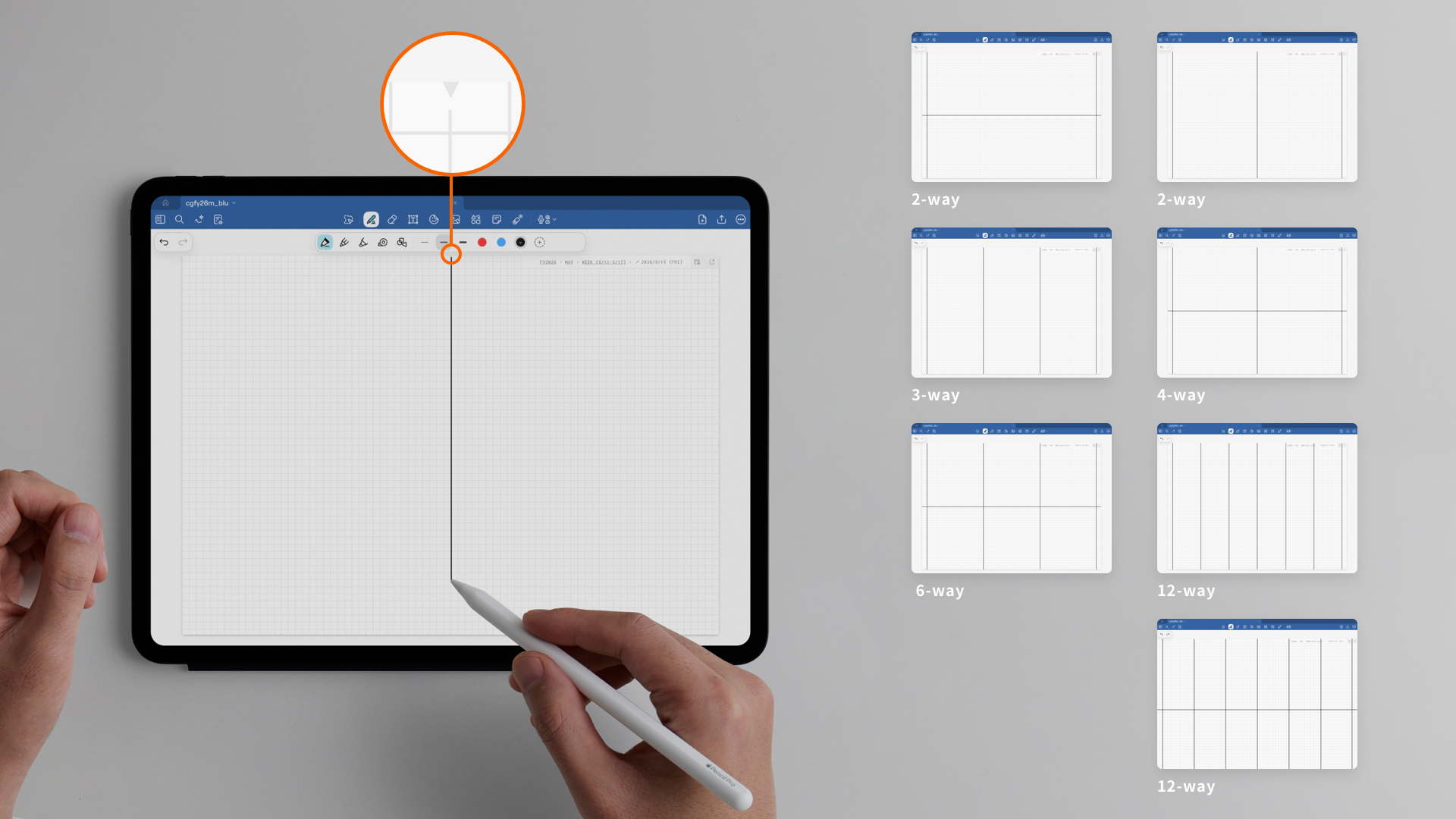
Write freely, as ideas come
The grid Daily Note is easy for both text and drawings, so you can write in any style. Connect the triangle guide marks with lines to divide the page into 2, 3, 4, 6 or 12 sections and make the layout you need.

Plays well with Google Calendar
The icon at the top right of each page opens Google Calendar for the same period: the month from a Monthly page, the week from a Weekly page, the day from a Daily Note. Use your handwritten planner and your usual calendar side by side.
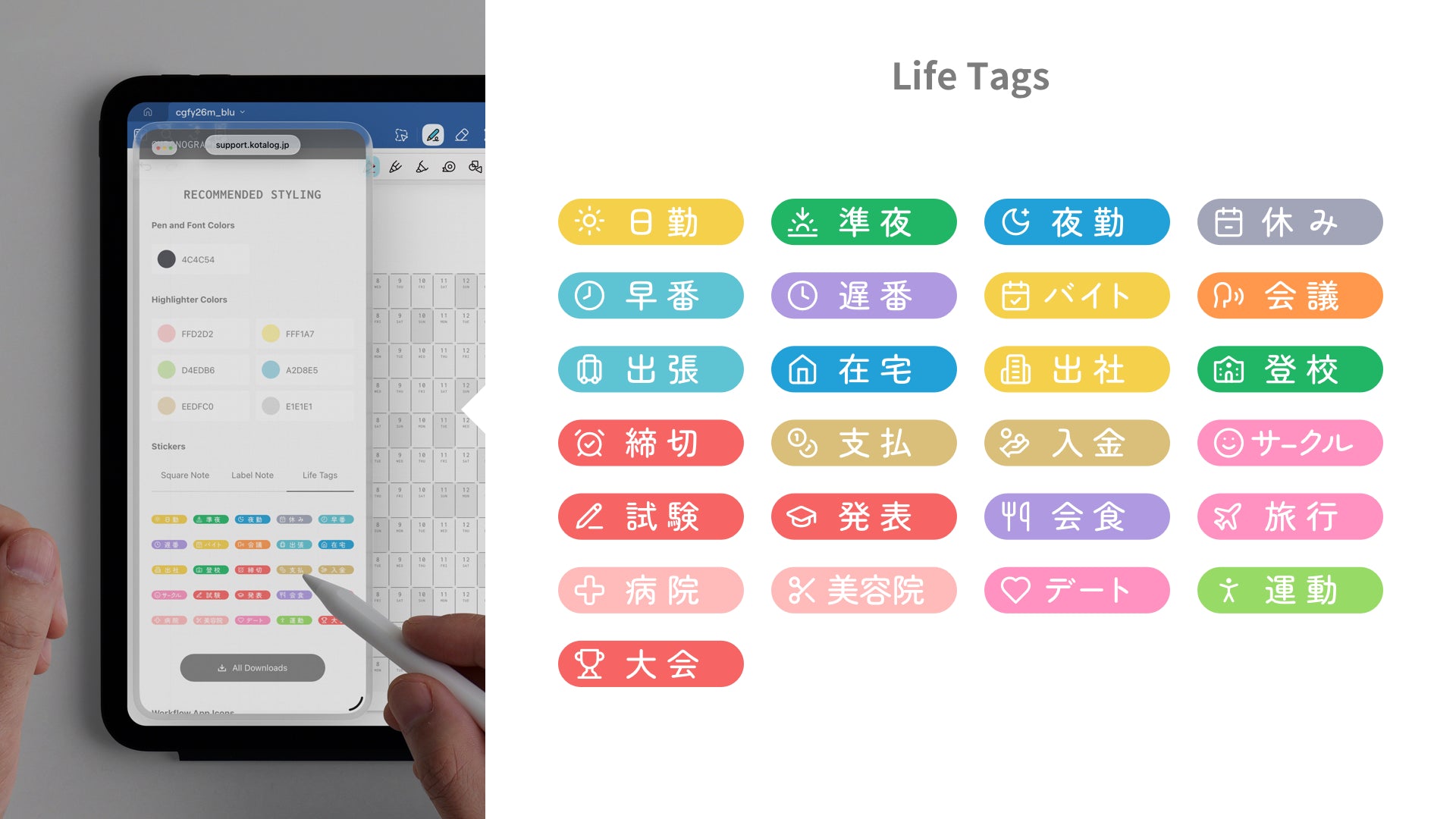
Make writing more fun and comfortable
The Guide page has playful stickers and a recommended color palette. Stickers speed up your daily entries and brighten the page, and color codes copy in one tap so you can use matching colors right away.
The new Yearly page in the 2027 editions

Months across, dates down
From CY2027 and FY2027, the Yearly page has a new layout. Months now run across and dates down, so each day is a wide box. Place label stickers, and write more plans and notes than before. Note: FY2026 and AY2026-2027 use the Gantt-chart layout.
New tools for 2027
Three new tools make your everyday planner time more fun and less effort.
-
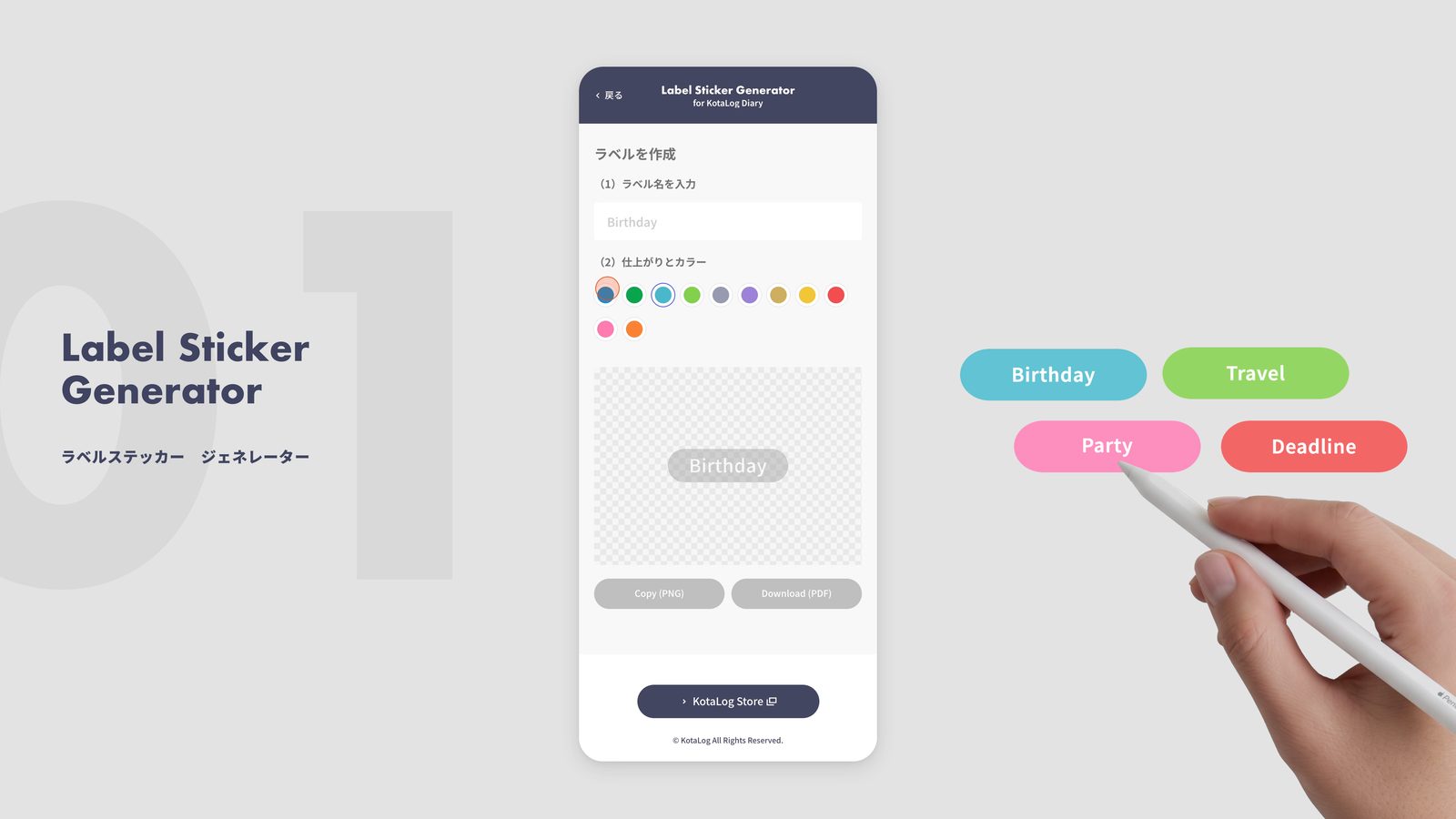
Label Sticker Generator
Make label stickers with any words you like. Type, pick a color, copy, and paste. Gather your important dates and you have a calendar that is yours alone.
-
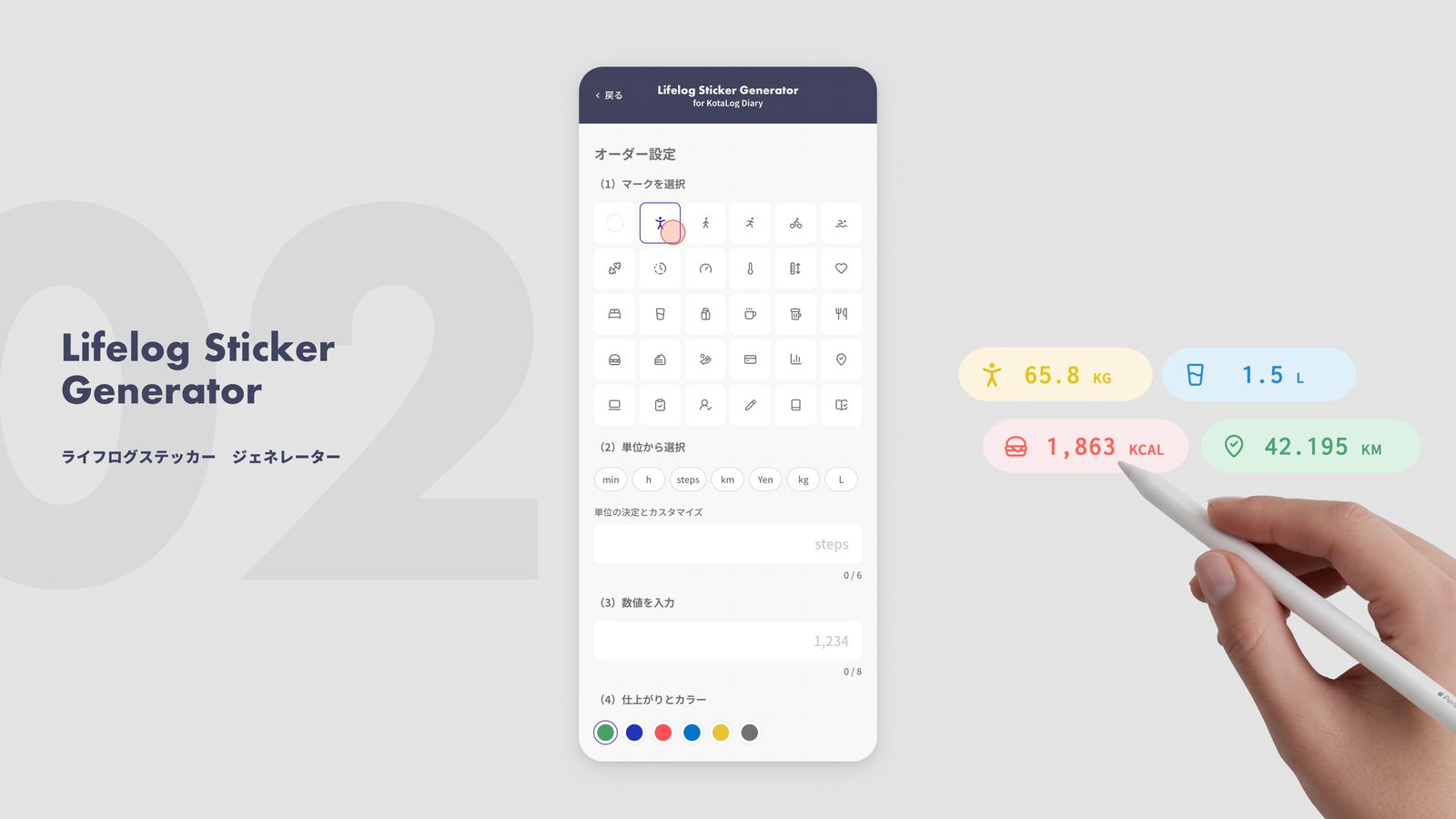
Lifelog Sticker Generator
Steps, distance, spending, weight. Stickers with an icon and a unit turn daily records into something you can read at a glance. Put them on a weekly page and you have a small dashboard.
-
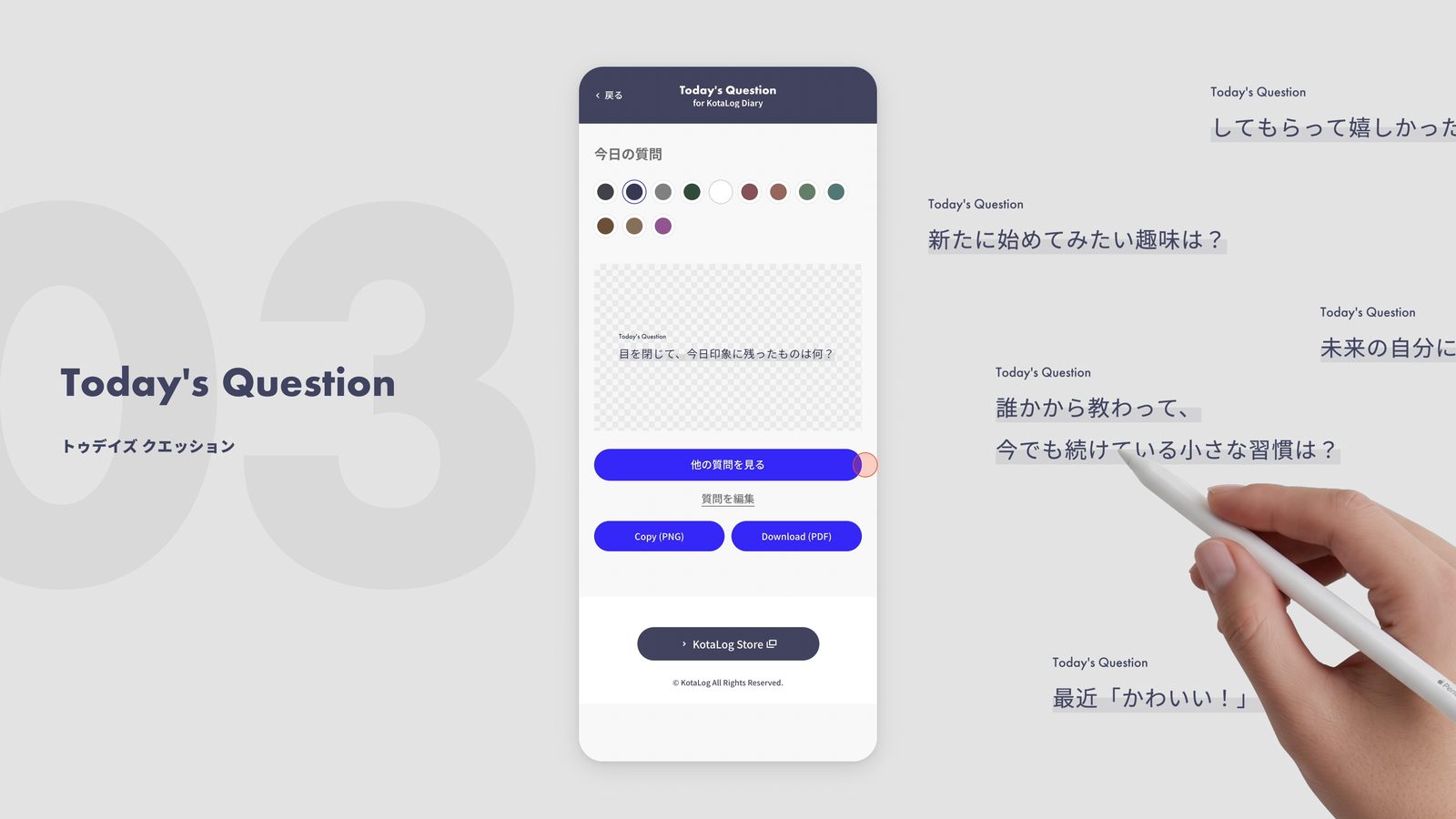
Today's Question
A small question each time you open it. Answering it gives your diary or journaling a place to start. About two years of questions are included.
The tools are available from the Guide page included with the product. The history of stickers you create is stored only in your browser.
Now, find the one that fits you!
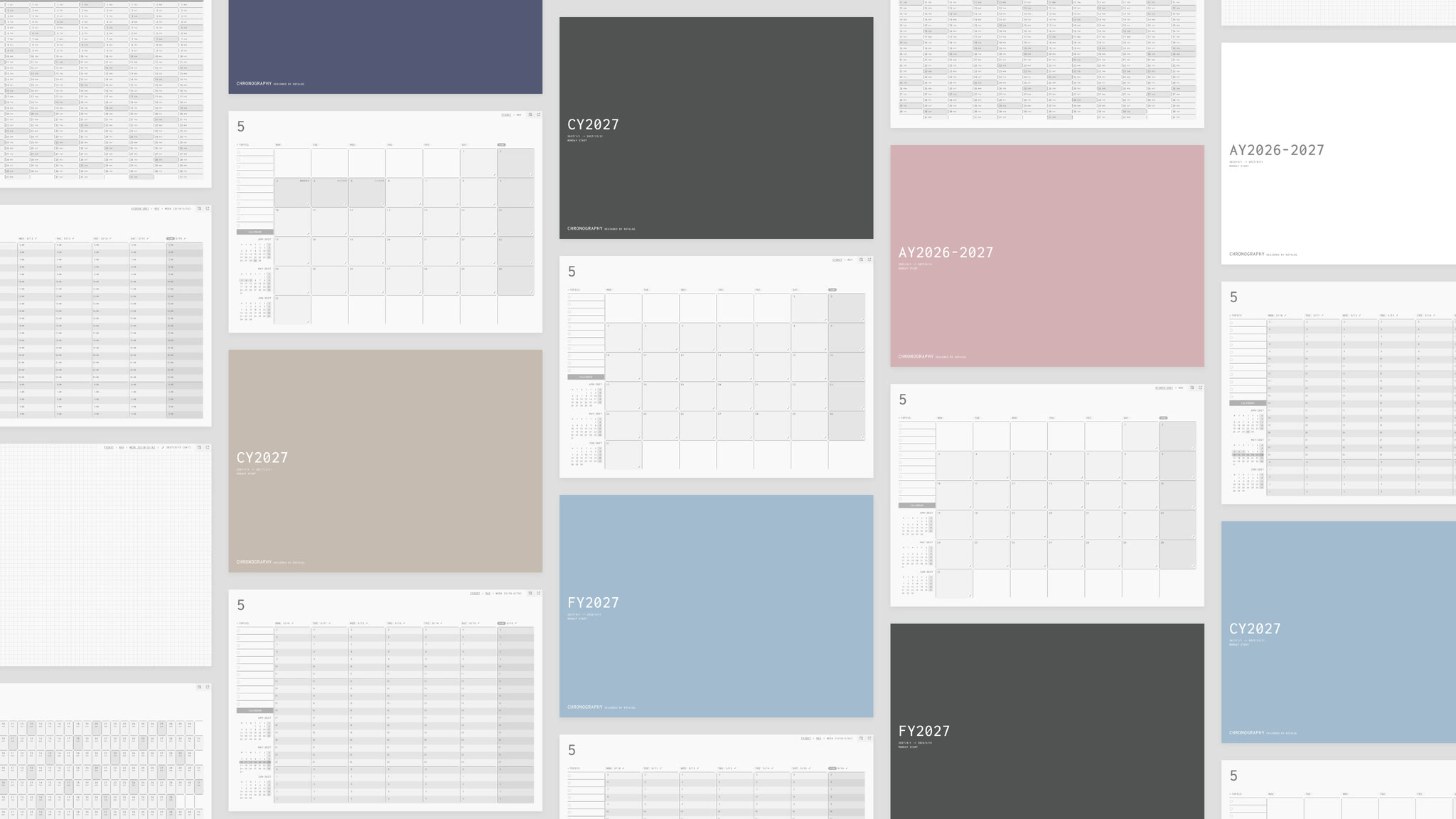
Start your year in January (CY), April (FY), or September (AY). Combine 6 cover colors and a holiday edition to find the planner that fits your year.
48
combinations
A place to think, inside your planner.
Be ready to start writing whenever you need to.