
Page structure
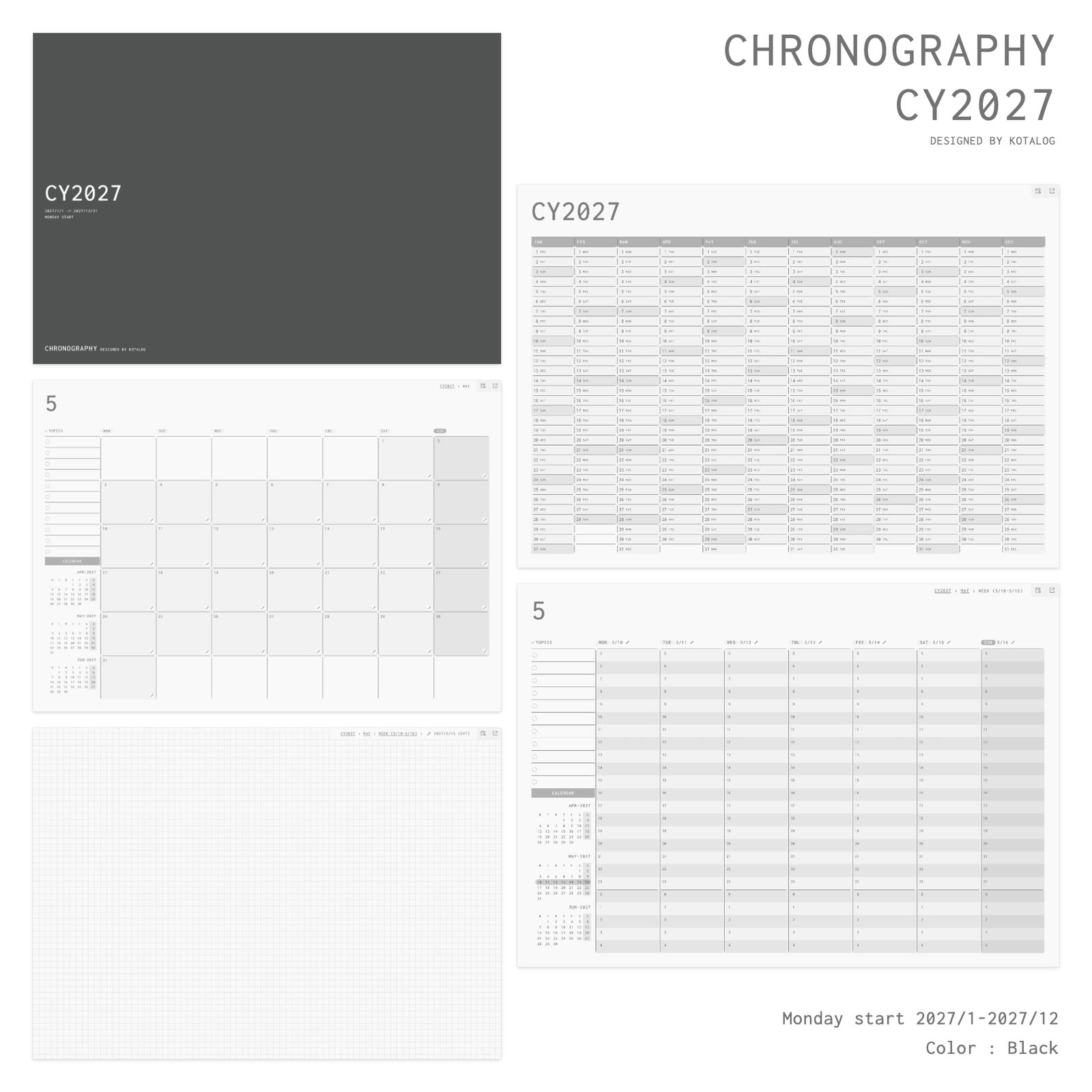
CHRONOGRAPHY is made up of a cover, Yearly, Monthly, Weekly and Daily Note pages. Build your outlook on the Yearly, Monthly and Weekly pages, then think things through on a Daily Note — one page for every day. The structure is designed for moving back and forth between the two.
| Season | Period | Page count |
|---|---|---|
| CY2027 | January – December 2027 | 432 pages |
| FY2027 | April 2027 – March 2028 | 433 pages (includes a leap day) |
That’s 1 cover, 1 Yearly, 12 Monthly, 53 Weekly and 365 Daily Note pages (366 when the period includes a leap day).
Yearly page: the entrance to your year
The first page after the cover. Twelve months sit side by side in columns, so every date of the year fits on one page. It’s also the entrance to the whole planner — start here to reach any month or date.
Monthly page: the month at a glance
Write in the month’s deadlines, events and outings, and see the whole month at once. “TOPICS” on the left is a list for what you want to work on or keep in mind this month. Below it, “CALENDAR” shows mini calendars for the previous, current and next month.
The pen icon at the bottom right of each day takes you to that day’s Daily Note.
Weekly page: how you spend your time
See the week as a timeline in seven columns. Write plans on a time axis that runs from 5 a.m. to 4 a.m. the next morning, and check that nothing overlaps and that you’ve kept time to think. Like the Monthly page, it has “TOPICS” and “CALENDAR” on the left.
The pen icon next to each day and date takes you to that day’s Daily Note.
Daily Note page: a place to think each day
A dated note, one page for every day. The whole page is a grid, so text and diagrams are both easy to write and you can focus on writing. Use it for whatever you want to think about that day: work decisions, meeting notes, what you’ve learned, ideas that haven’t taken shape yet.
Triangle guide marks on all four edges help you divide the note. Connect them with lines to make a 2-, 3-, 4-, 6- or 12-way layout in seconds.
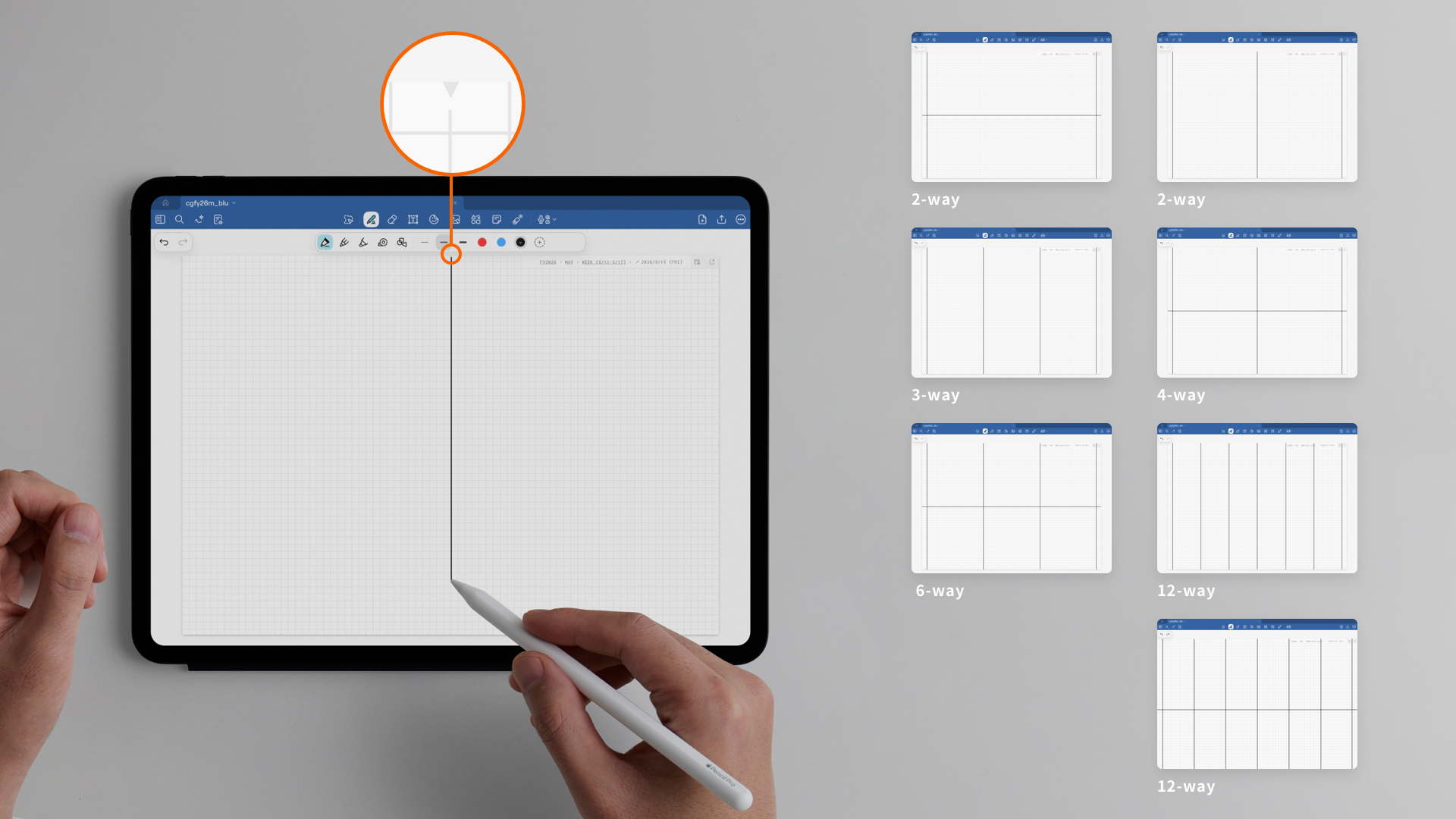
There’s no need to write the same way every day. If you skip a day, just start again on the next page.
Colors and editions
The six colors are cover colors. The pages inside share one design in every color.
There are two editions, JPN and Global. JPN shows Japanese public holidays and comes with a Japanese Guide page. Global is the worldwide edition with no country-specific holidays and an English Guide page. Page labels (MON, TOPICS and so on) are in English in both. Which editions are available depends on the season (CY: JPN and Global, FY: JPN only, AY: Global only).