
Getting started
1. Buy from the KotaLog Store
Watch in video23:13KotaLog Diary is sold at the KotaLog Store. Choose a layout from “KotaLog Diary” in the header, then pick a color and options (week start and regional edition) and add it to your cart.
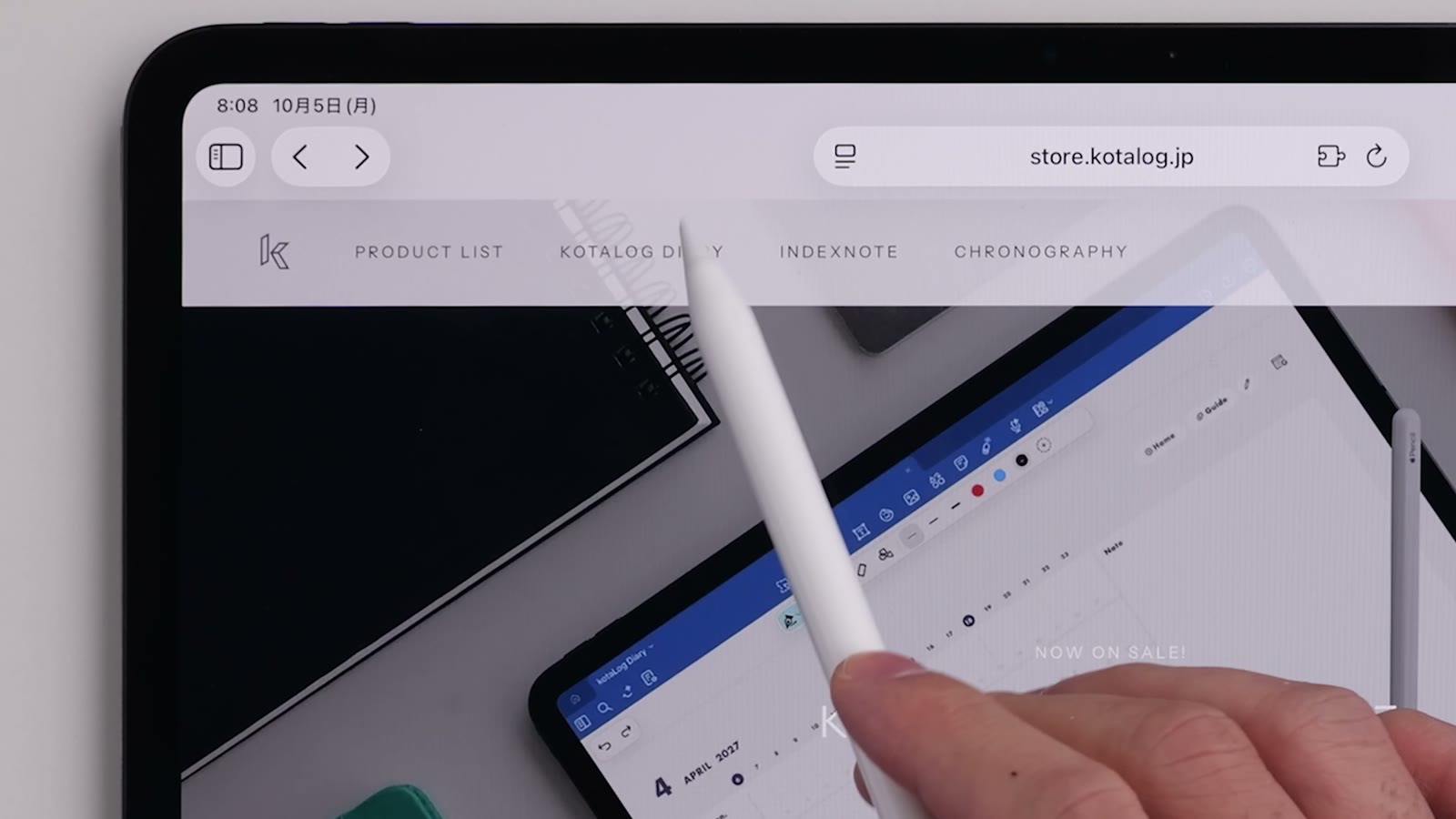
At checkout, enter your email address and other details, and pay by credit card, Apple Pay or Google Pay. Before you finish, check that your email address and the product are correct.
Note: when you pay with Apple Pay, the email address registered in Apple Pay becomes the email address for your order.
2. Download the file
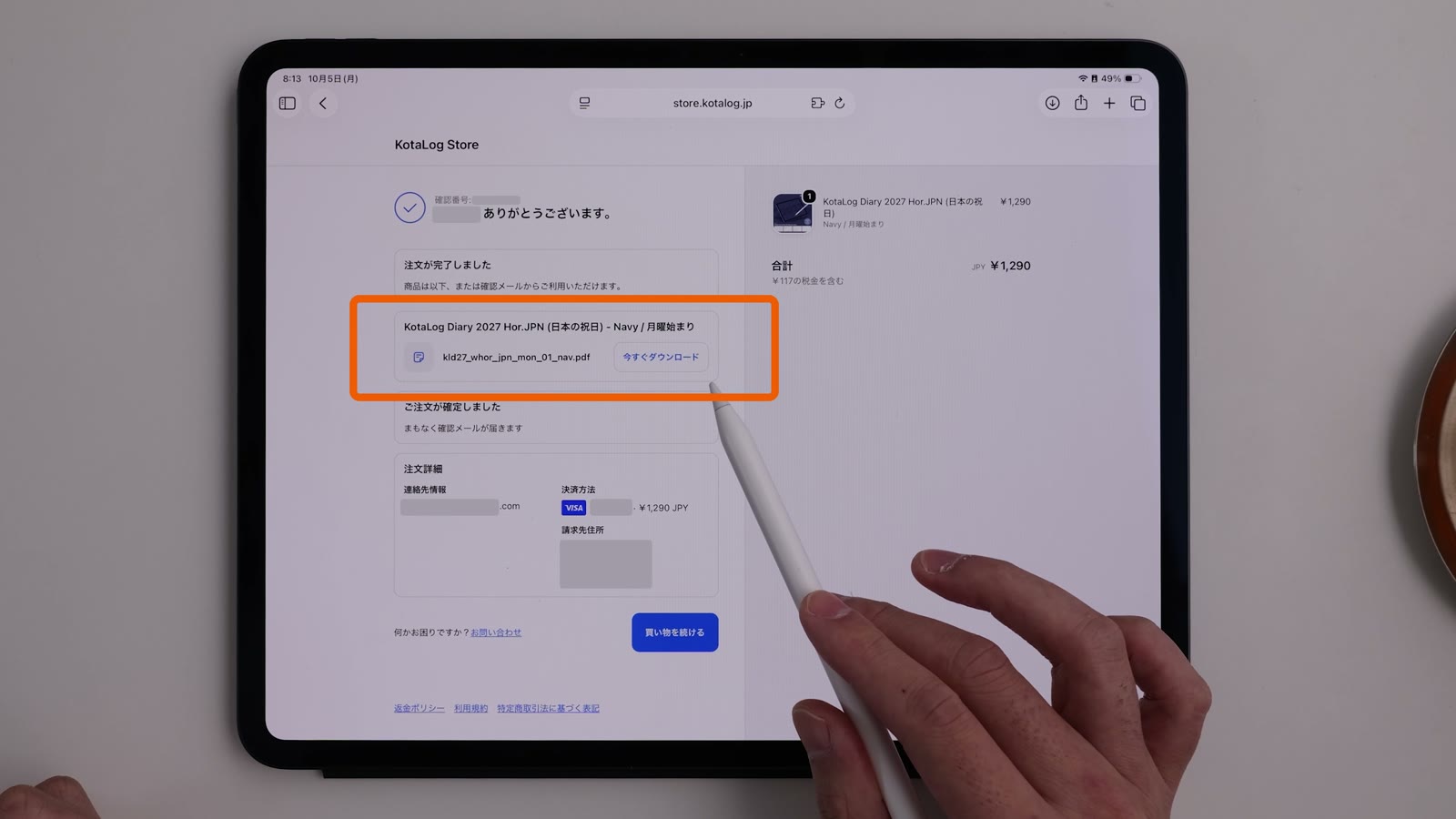
Watch in video24:02A moment after your order is complete, a download button appears. Tap it to download the file and save it somewhere easy to find, such as the Files app. Check that the product name, layout, week start and regional edition match what you chose.
The same download link is also sent to your registered email address. Use the link in that email if you need to download it again.
3. Import it into your note app
Import the file from its share menu or from your note app’s import feature. When the cover opens, you’re ready. If you have several product files, import the one you want to use.
For Goodnotes, see Get started with KotaLog Diary in Goodnotes in Tips.
4. Try moving between pages and writing
First, tap a month or date on the Yearly page and check that it takes you to the right page. Then write a short note and try undoing and moving it. Some apps need you to switch between following links and writing.
5. Keep the original file and your records
It’s safer to keep the original download separate from the notebook you write in. Downloading the original file again won’t bring back anything you’ve added. As your records grow, also check how your app backs up your notes.