
Guide page
The Guide page is a web page made for each KotaLog Diary color. Tap “Guide” at the top right of a Monthly, Weekly or Daily page to open it in your browser. Its design matches your theme color, and its wording matches your edition (JPN / Global).
The Guide page is for customers who have purchased the product. Please open it from the link inside your planner.
Watch in video10:56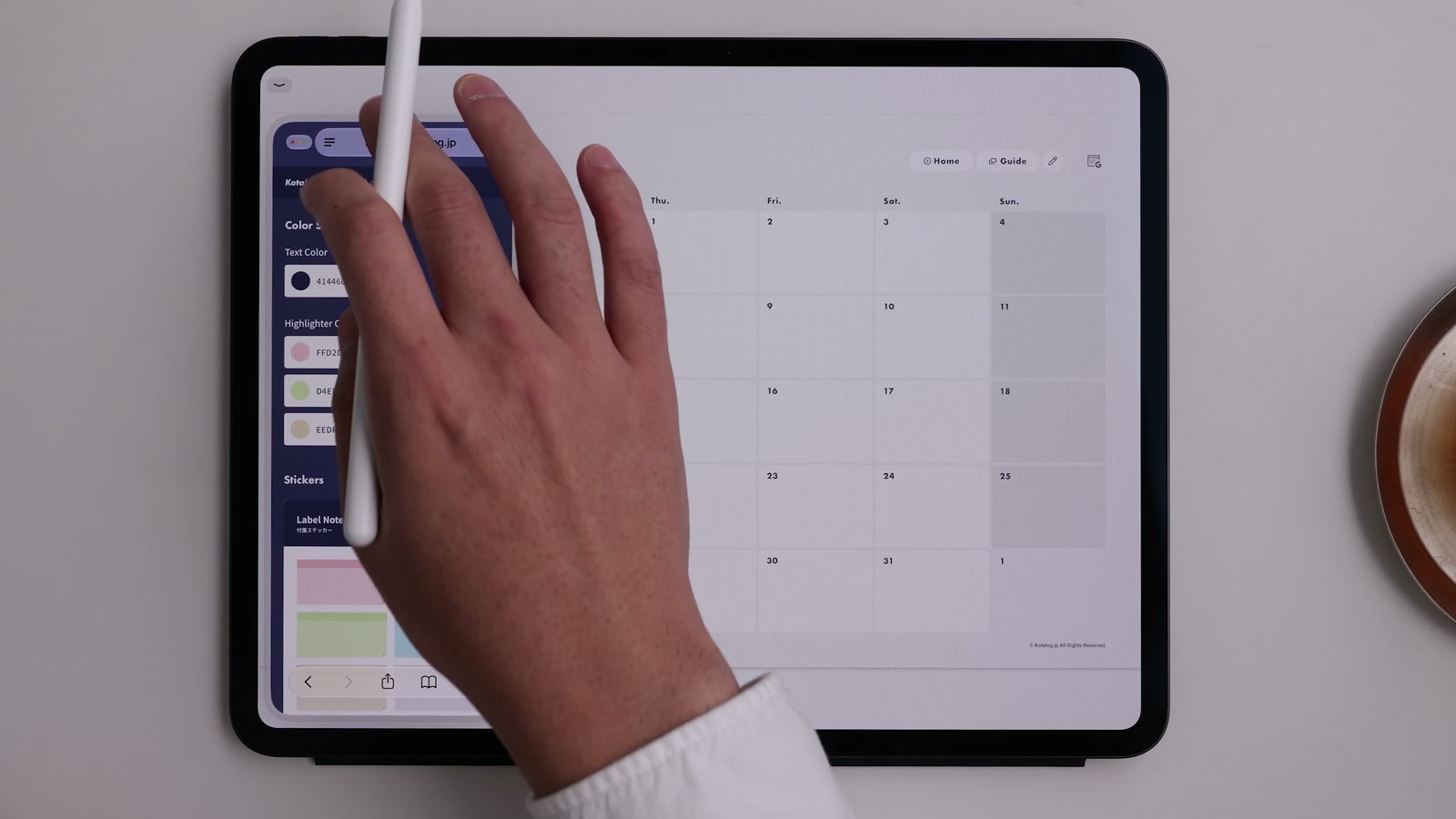
What’s on the Guide page
Watch in video11:20| Section | Contents |
|---|---|
| Color Styling | Recommended text and highlighter colors for your theme color. Tap a value to copy it |
| Stickers | Sticky notes and other sticker materials |
| Current Position Markers | “NOW” and “TODAY” marker stickers |
| Tools | Label Sticker Generator / Lifelog Sticker Generator / Today’s Question |
| Workflow App Icons | Icon images for Home Screen shortcuts and more |
| Resources | Links to the manual and news |
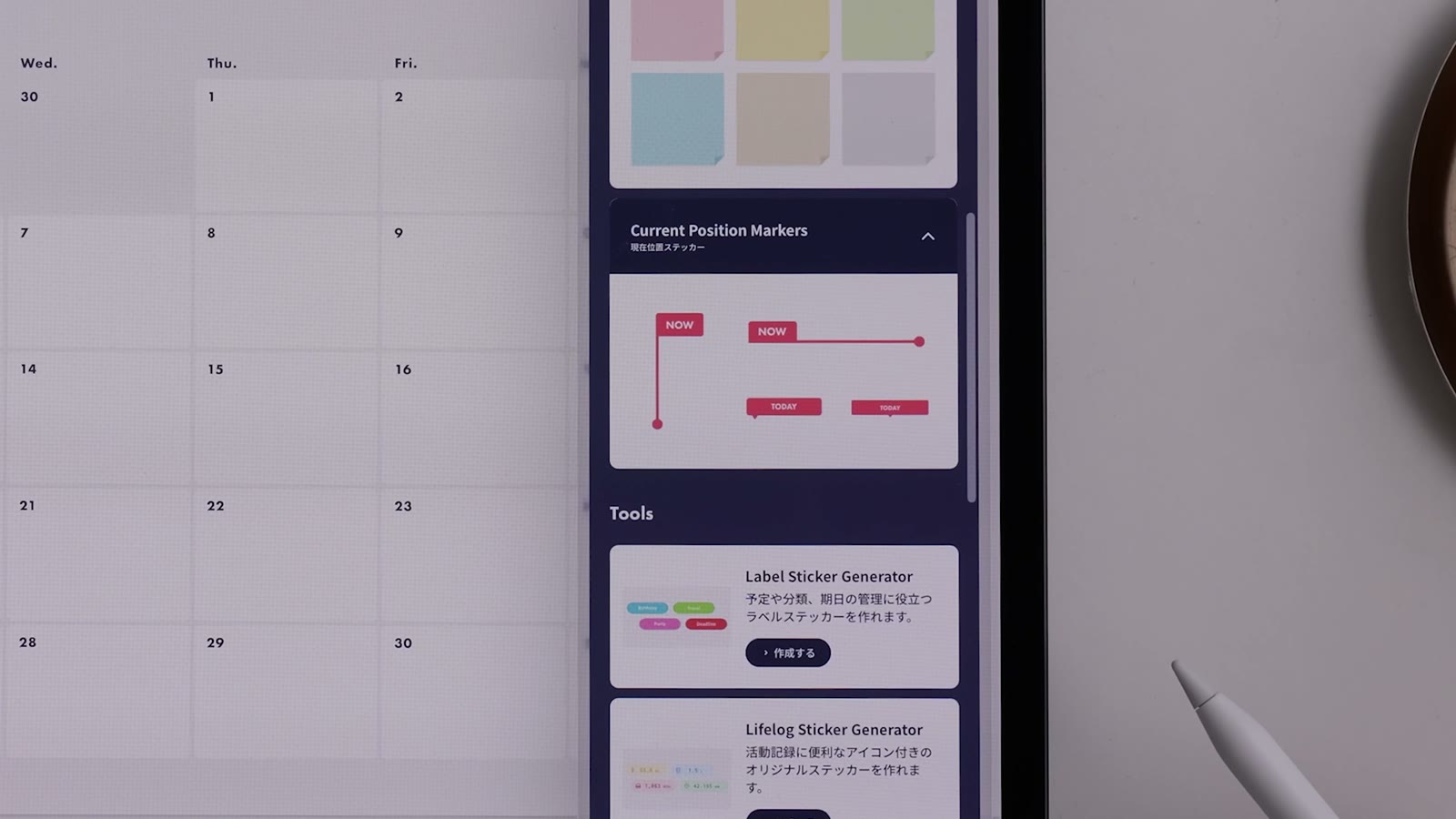
Match colors with Color Styling
Watch in video11:39Tap a color value to copy it. Add it to your app’s pen and highlighter colors and you can always write in colors that suit your planner. For Goodnotes, see Get started with KotaLog Diary in Goodnotes in Tips.
Using stickers
Copy or download a sticker as an image and paste it into your app.
Three tools
From the 2027 edition, “Tools” on the Guide page includes three tools for making your own stickers. Open each from its “Create” button.
- Label Sticker Generator: make label stickers with any words you like
- Lifelog Sticker Generator: make record stickers with an icon and a unit
- Today’s Question: shows a random journaling question
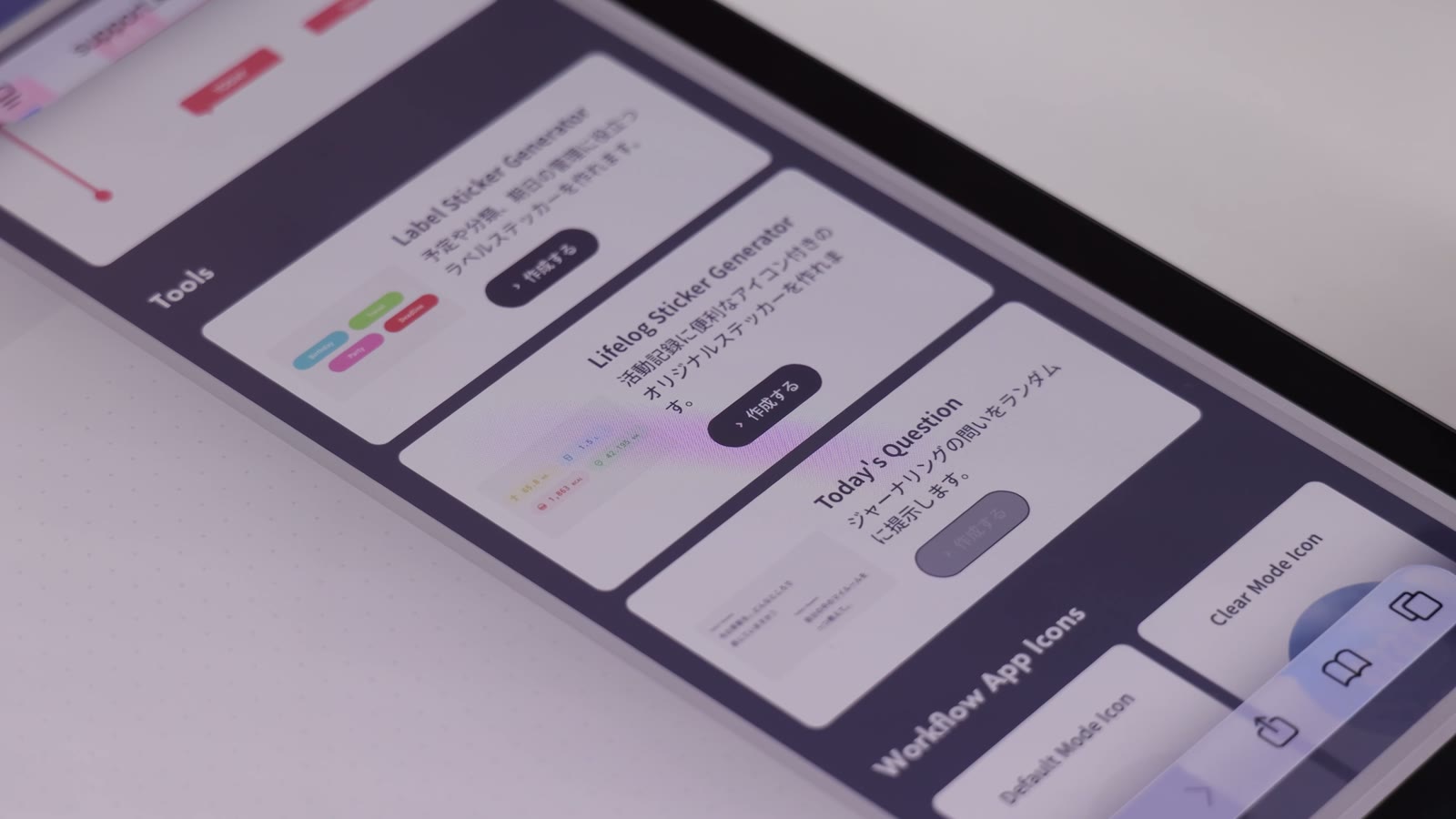
The history of stickers you create is stored only in your browser. It is never sent to or stored on a server.
Use it next to your planner
Use your device’s window features to place the Guide page next to your planner, or float it above, so you can refer to it while you write.